Passing Form Information from Page to Page
Details:
This lab will give you more experience with requesting information from the user and writing information to the browser.
You will create a form page (index) with a submit button. When this form
is submitted, the form data is sent to an identical form page (getFormData)
and the form data is automatically inserted into the form fields (autopopulation).
This time, when the second form is submitted, it will go to a third page (displayFormData)
that writes the information to the web page. This
last page (displayFormData) should resemble a receipt that you would get
after ordering something online.
One purpose of this lab is to get you familiar with the echo command in PHP. You will use this command nested inside the value attributes of form elements on getFormData.php
when inserting variables into selected spots in your code. This lab will provide more
experience with requesting information from a form and writing data to the browser. It will also provide more experience
with initializing and using variables. Do not use the session object on this lab assignment.
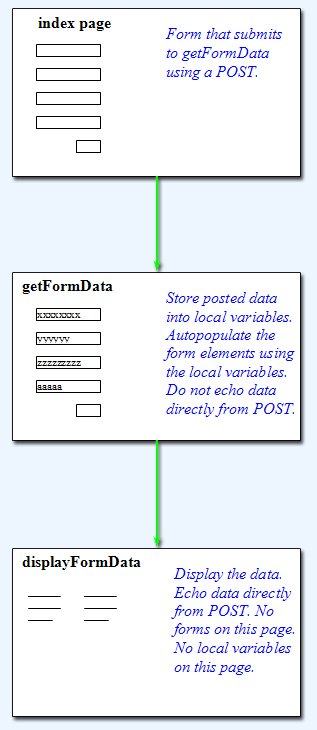
Below is a diagram depicting the flow of information (click to enlarge):
Materials to turn in on the server:
- In your Lab03 folder
- index.php
- getFormData.php
- displayFormData.php
- View this example finished solution
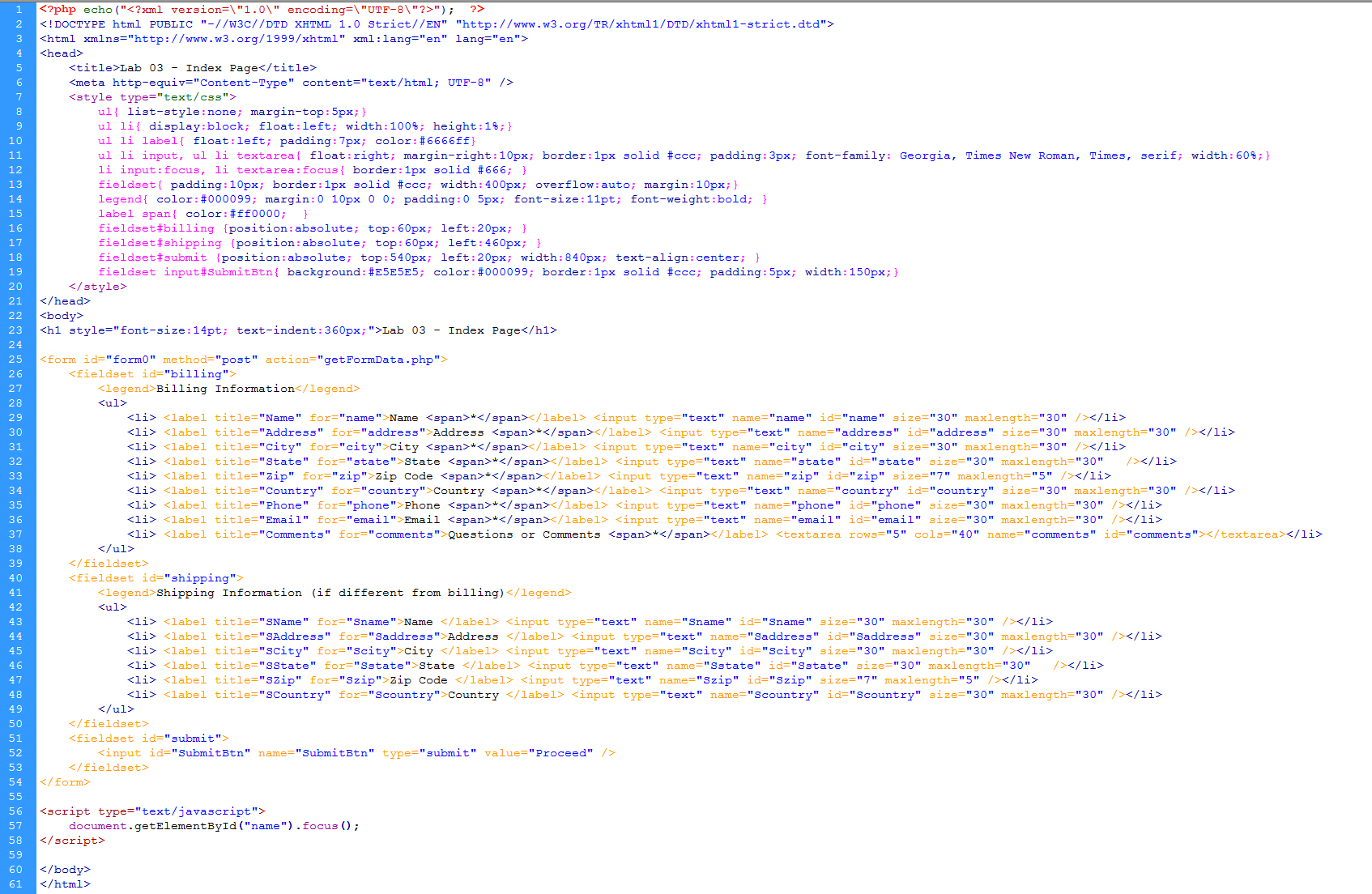
- index page download here
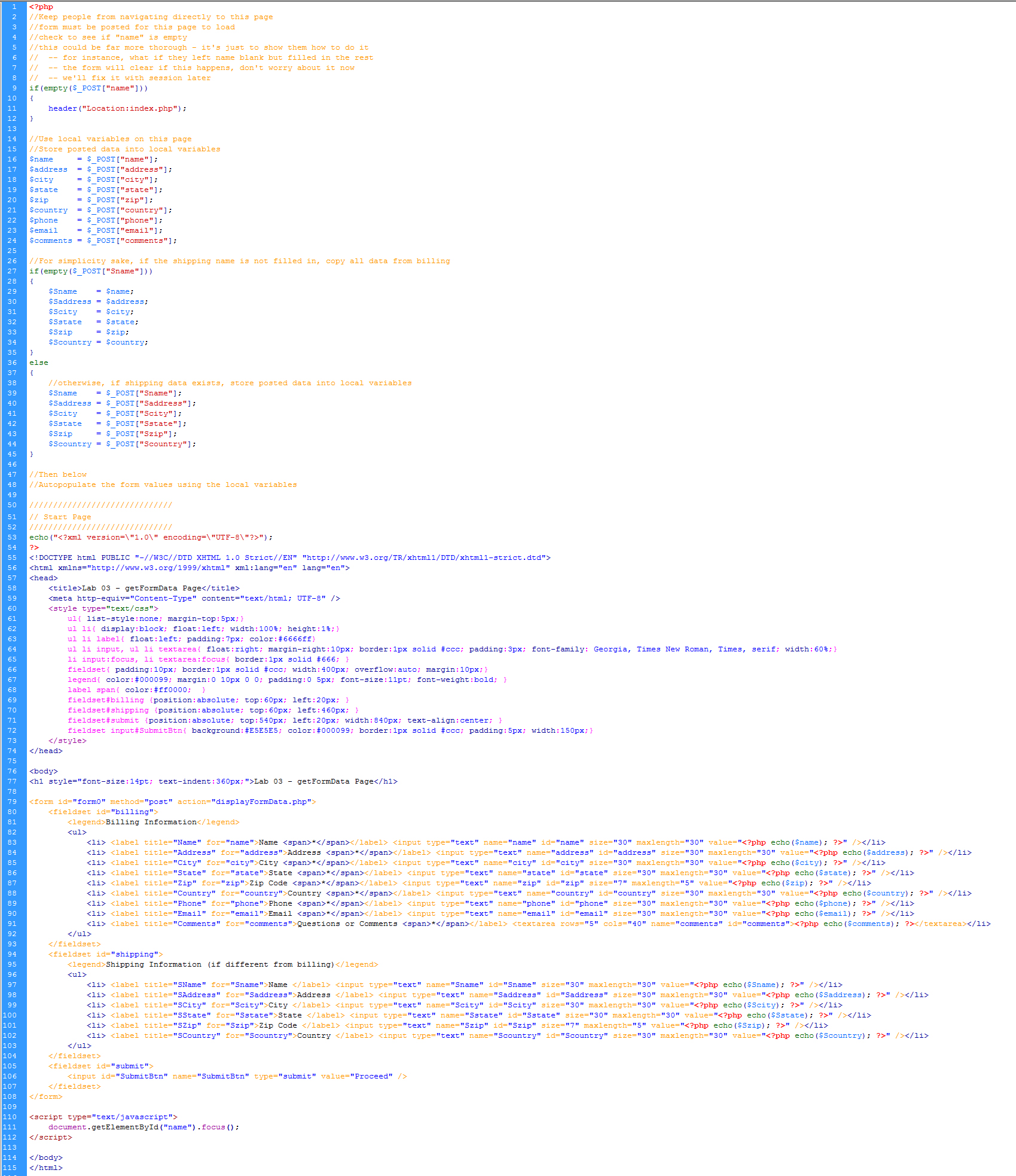
- getFormData page
- Copy index.php and save as getFormData.php
- This page is a mix of HTML and PHP
- Before the HTML starts, Add a section of PHP that:
- Checks to see if the billing name is empty - if so, redirect to index
- Then try navigating directly to that page without entering form data (type it in the URL)
- Initializes variables for each form item using it's corresponding form data from index.php
- Within the HTML below, add value attributes to the form elements
- Use the echo statement
to set the value (autopopulate) of each element to its corresponding variable
- Example: <input type="text" name="companyID"
value="<?php echo($variable); ?>">
- Note: No extra spaces between the quotes following value=
- Add JavaScript to set the focus to the billing name textbox
- Comment your code
- What if the user does not enter any Shipping Information?????
- You need to create the logic to copy the billing info to the shipping
info in this case
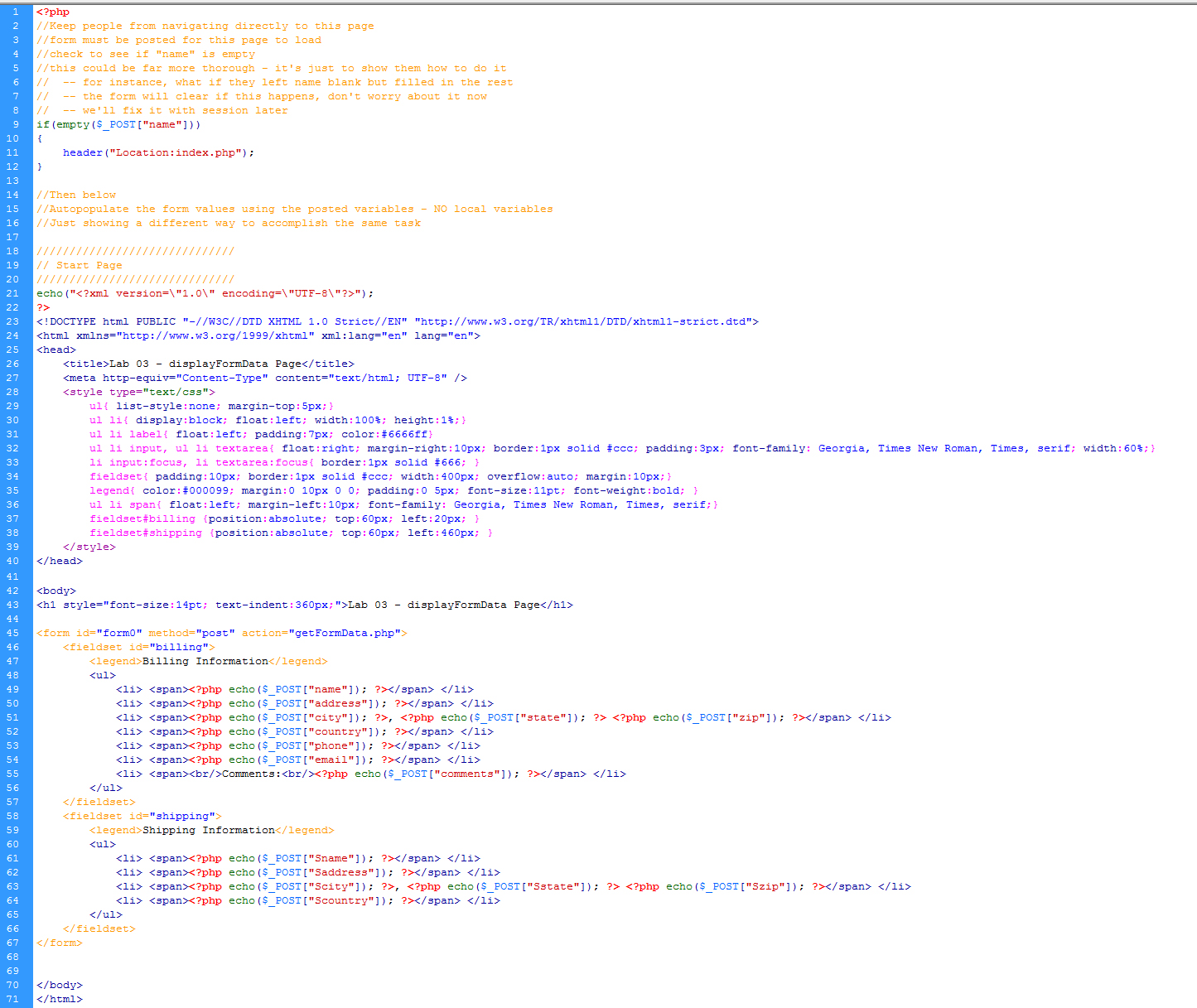
- displayFormData page
- List the items of the form as you would see on a receipt
(similar to this)
- This page is a mix of HTML and PHP
- Check to see if the billing name is empty - if so, redirect to index
- Then try navigating directly to that page without entering form data (type it in the URL)
- Use the echo statement to write the form data to the web page
- Do it without using variables (hint: nest the $_POST call inside of
the echo statement)
- Comment your code
- Aesthetics are up to you, but the pages should follow the same scheme.
- Code
- Here is the code for this entire exercise. Proper use would be: look at the code to make sure you are approaching the assignment the correct way. Then try to do it on your own. Then use the code to make sure you've done it correctly. Improper use would be: copying without interpreting, which would result in not really learning what you're doing. The code is provided to help you be successful and so that you don't have to ask as many questions about the assignment.
- index page code
- getFormData page code
- displayFormData page code
- Make sure it works on the server!!!
- Save a backup copy to your personal drive space.
- Do not modify any files after the deadline. Timestamps on all files will be checked during grading.
Grading
| Assign 3 Coding & Comments |
-10 pts max |
| Assign 3 Aesthetics |
-2 pts max |
| Assign 3 Validate / Accessibility |
-3 pts max |
| Total |
15 pts possible |
|