Storing Information & Recalling on Later Pages
Details:
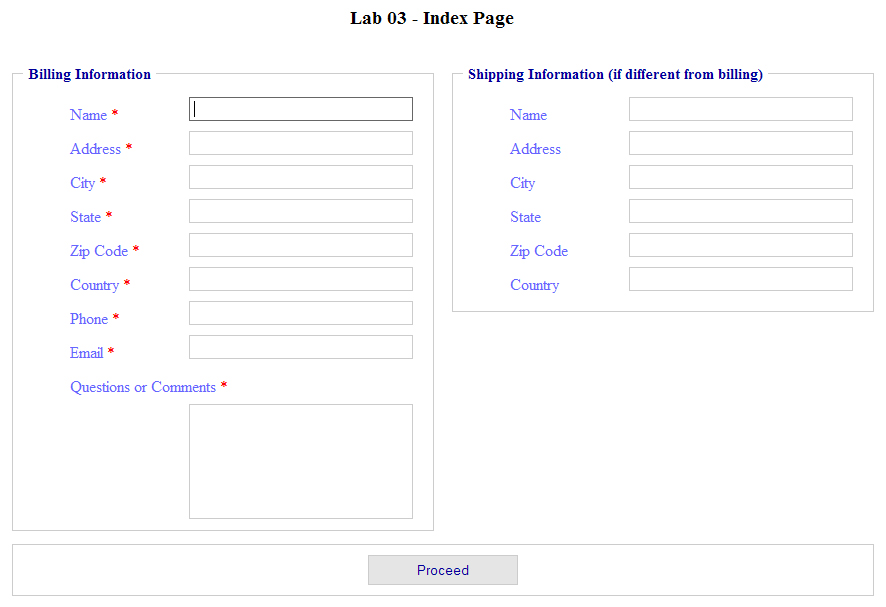
This lab will build on Lab 3. You will use the Form from Lab 3 (index page)
as your beginning point. In case you forget, it looked like this.
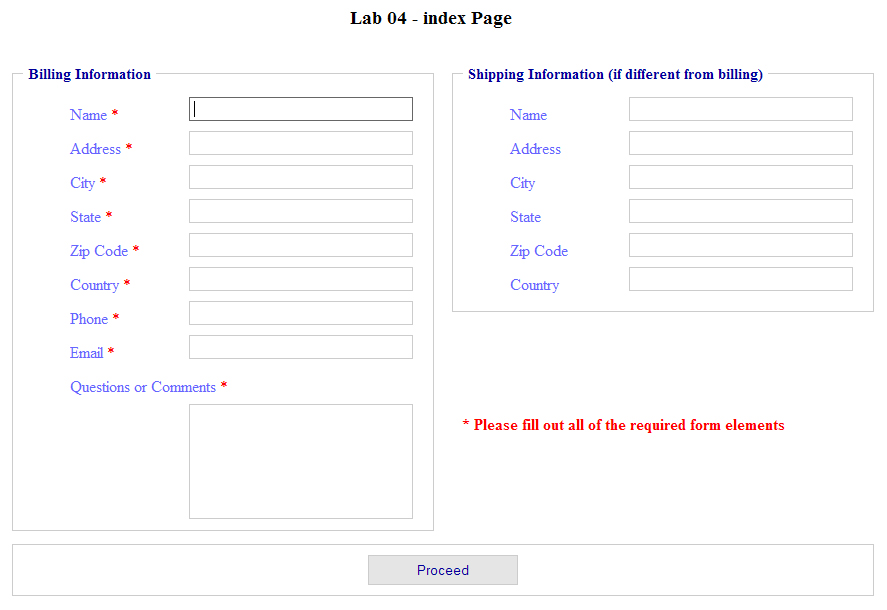
This page (index page) will also be your Lab 4 index page. Copy the file to
your Lab04 folder.
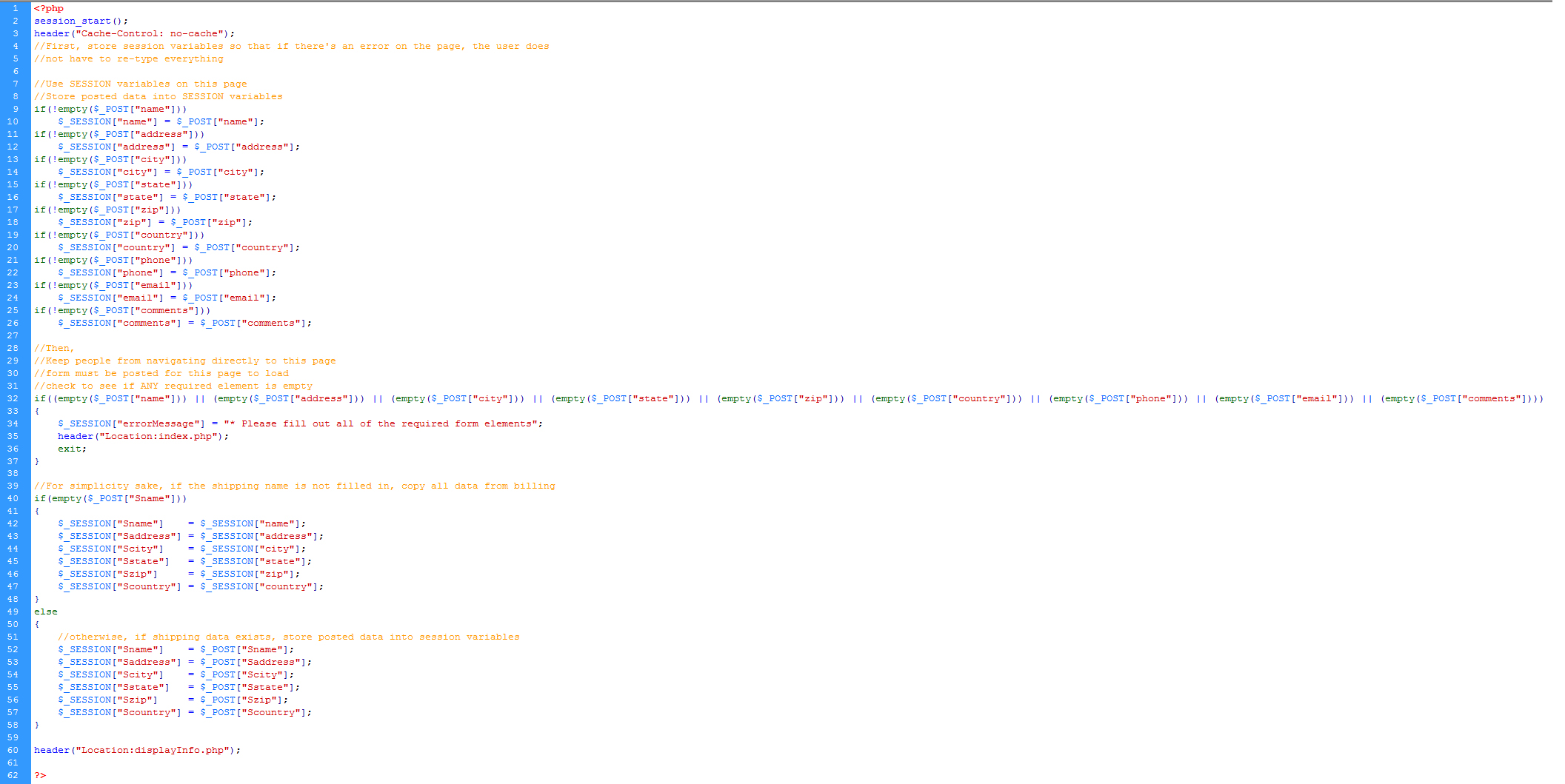
When you submit your form on the index page, it will be sent to a "pass-through"
page (storeInfo). You will never see storeInfo in a browser because
the browser simply passes through this page and gets redirected to the next page
(displayInfo). Thus, storeInfo is entirely server code. storeInfo retrieves the form
data and stores it in Session variables.
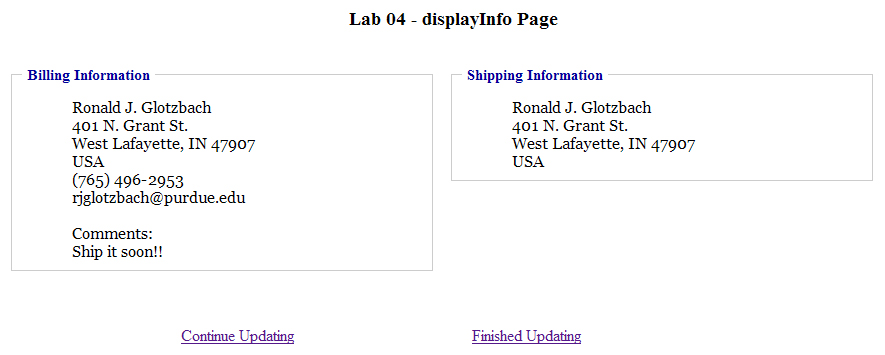
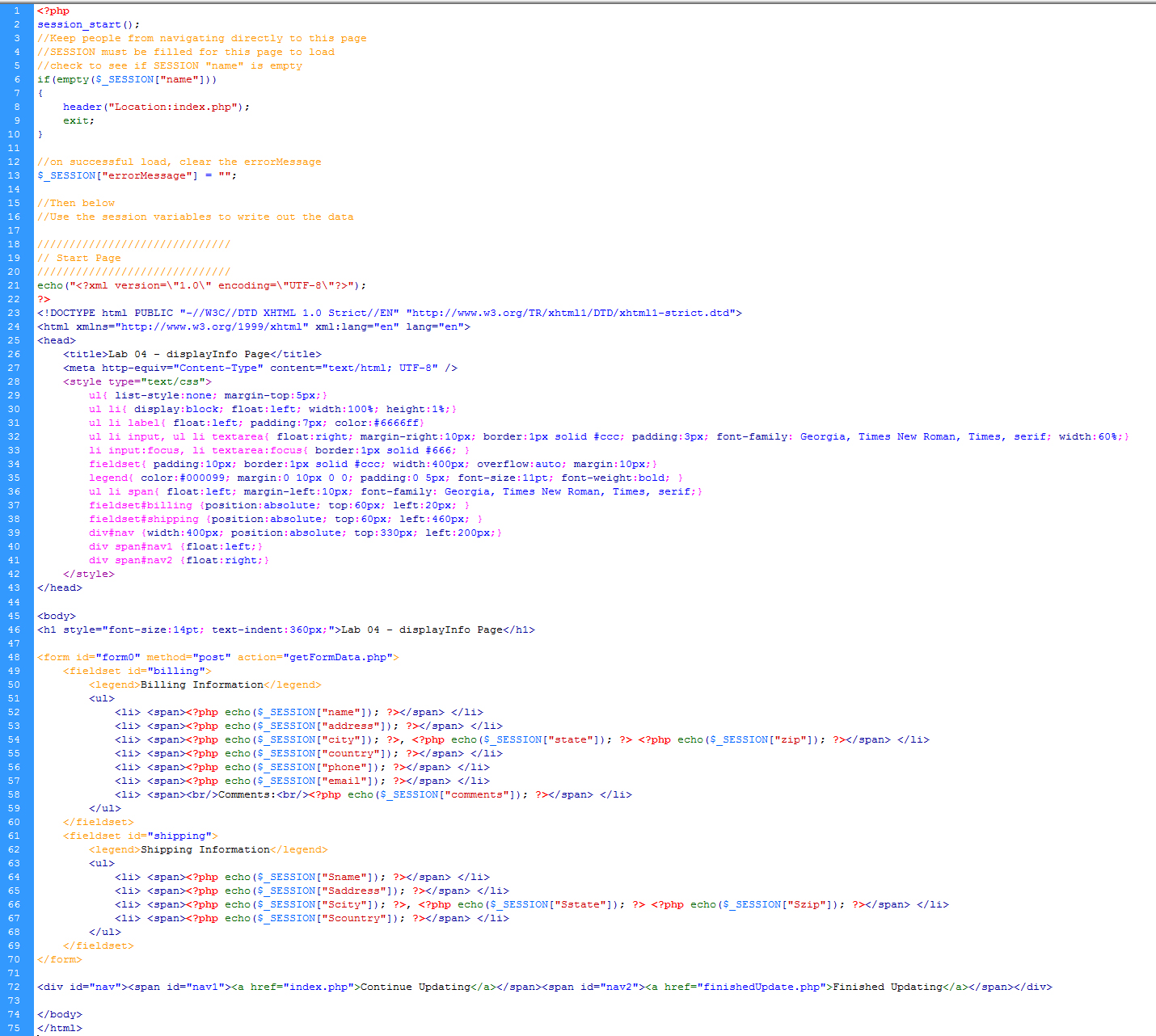
Your third page, displayInfo, displays the information in the Session variables
much in the manner of Lab 3. It should be in the same type of form as if you
were addressing an mail envelope. displayInfo should have a column with
the Billing Information address and another column with the Shipping Information
address. Under the columns should be a link 'Update this information' that takes
the user back to the index page. At the bottom of the index page should be a link 'Finished
updating' that takes the user to finishedUpdate.
When you come back to the index page after clicking 'Update this information',
the data from the Session variables should be autopopulated into the form fields.
You can then make updates to the data and resubmit it. You can continue this
process as many times as you want.
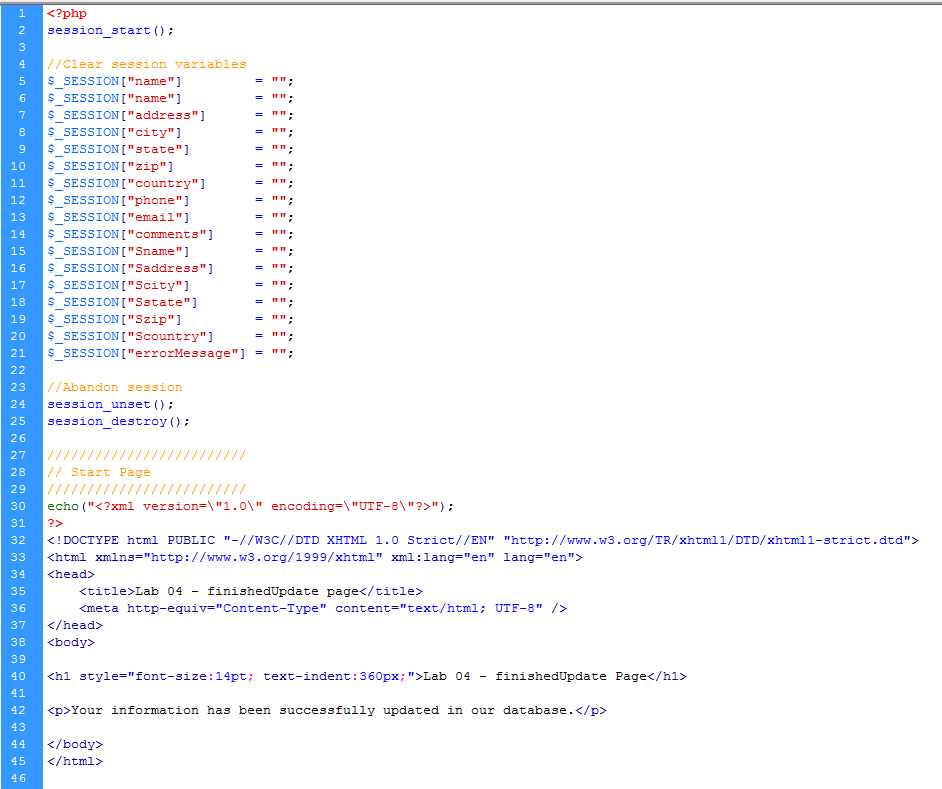
When the user is finished updating their information, they click the 'Finished
updating' link that takes them to the finishedUpdate page. This page is a simple HTML
page (with a php extension) stating that the information has been successfully updated in our databases.
This lab will give you more experience with the session object. You will gain
experience in storing information into session variables and learn a practical
use for session variables. Later, we will actually store this saved session
data into a database.
For this lab, do not use declared / local variables. Use Session variables.
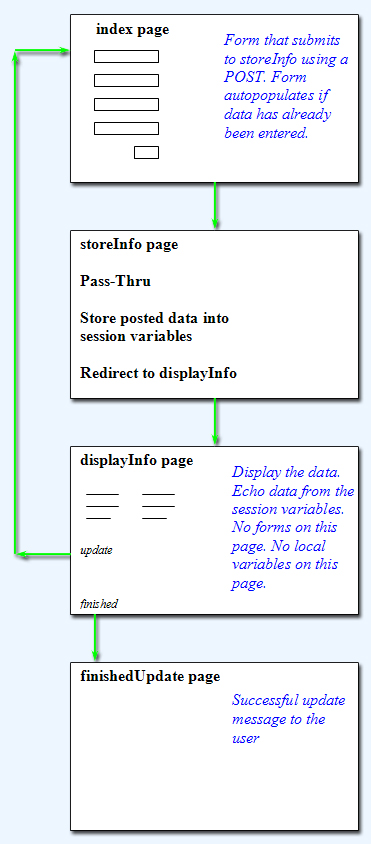
Below is a diagram depicting the flow of information (click to enlarge):
Materials to turn in on the server:
- In your Lab04 folder:
- index.php
- storeInfo.php
- displayInfo.php
- finishedUpdate.php
- View this example finished solution
- index.php
- Use the form from Lab03 that looks like this
- session_start() at top
- Within the HTML below, add value attributes to the form elements
- Use the echo
statement to set the value of each element to its corresponding variable
- Example: <input type="text" name="companyID"
value="<?php echo($_SESSION["foo"]); ?>">
- Note: No extra spaces between the quotes following value=
- Note: You will also need to include if statements to check if the session variable is empty before attempting to write it... if(!empty($_SESSION["foo"]){ echo... }
- Add a div that displays the error message if there is one
- Comment your code
- storeInfo.php
- Completely PHP (No HTML at all)
- session_start() at top
- Retrieve the form data and store it into session variables
- Names of session variables should be mnemonic
- Session variables do not need to be declared, just initialize them as needed
- Do not use local variables - this is an exercise in using session variables
- If a required element is missing, set a session error message and redirect to index
- After each header redirect, put an exit; statement
- What if the user does not enter any Shipping Information?????
- You need to create the logic to copy the billing info to the shipping
info in this case
- Comment your code
- Redirect to displayInfo.php
- After each header redirect, put an exit; statement
- displayInfo.php
- List the items in the session variables as you would see on a receipt
(similar to this)
- Use lists and CSS - no tables for layout.
- This page is a mix of HTML and PHP
- session_start() at top
- Check to see if the session billing name is empty - if so, redirect to index
- Then try navigating directly to that page without entering form data (type it in the URL)
- After each header redirect, put an exit; statement
- Clear the error message
- Use the echo statement to write the session data to the web page
- Provide a link 'Update this information' that takes
the user back to the index page
- Provide a link 'Finished
updating' that takes the user to finishedUpdate
- Comment your code
- Aesthetics are up to you, but the all pages should follow the same scheme.
- finishedUpdate.php
- This page is a simple
page (with a php extension) stating that the information has been successfully updated in our databases.
- session_start() at top
- Clear session variables - set them all equal to the empty string
- Abandon session
- Code
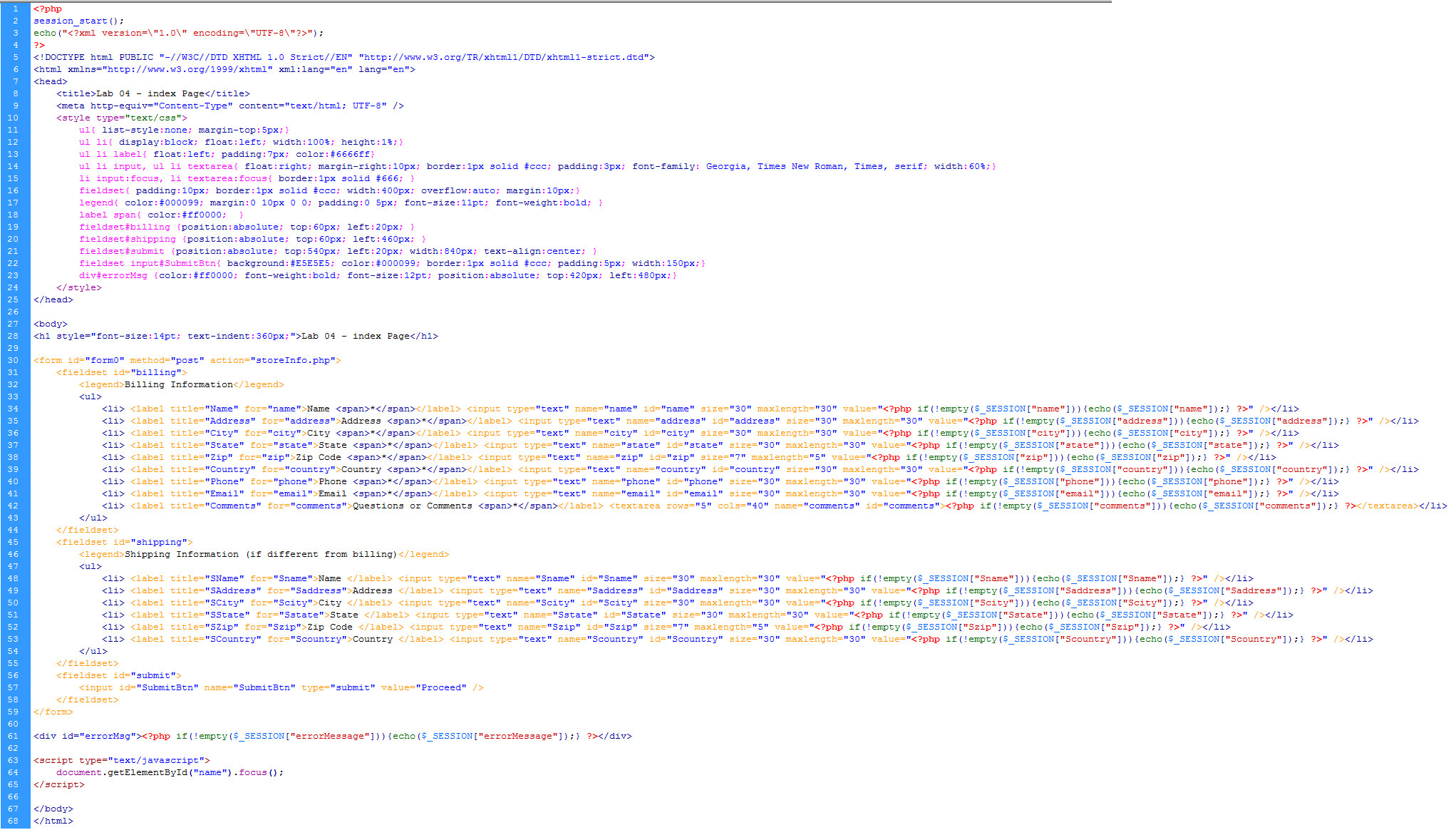
- Here is the code for this entire exercise. Proper use would be: look at the code to make sure you are approaching the assignment the correct way. Then try to do it on your own. Then use the code to make sure you've done it correctly. Improper use would be: copying without interpreting, which would result in not really learning what you're doing. The code is provided to help you be successful and so that you don't have to ask as many questions about the assignment.
- index page code
- storeInfo page code
- displayInfo page code
- finishedUpdate page code
- Make sure it works on the server!!!
- Save a backup copy to your personal drive space.
- Do not modify any files after the deadline. Timestamps on all files will be checked during grading.
Grading
| Coding & Comments |
-6 pts max |
| Aesthetics |
-2 pts max |
| Validate / Accessibility |
-2 pts max |
| Total |
10 pts possible |
|