|
Cryptography, Encryption, and Server Variables
Materials to turn in on the server:
- In your Lab07 folder:
- index.php
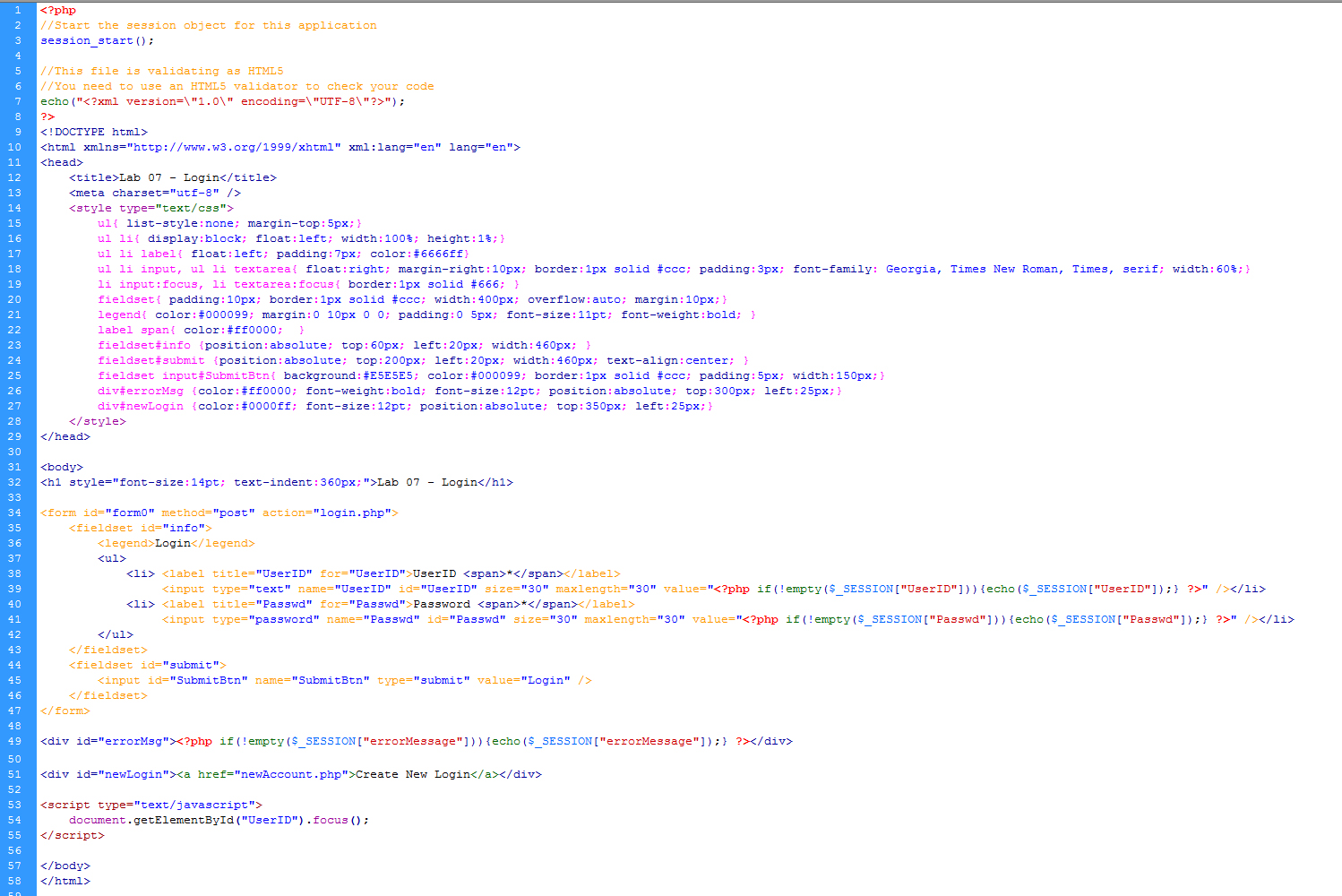
- login.php
- success.php
- newAccount.php
- createNewAccount.php
- checkUserID.php
- serverVariables.php
- "includes" folder
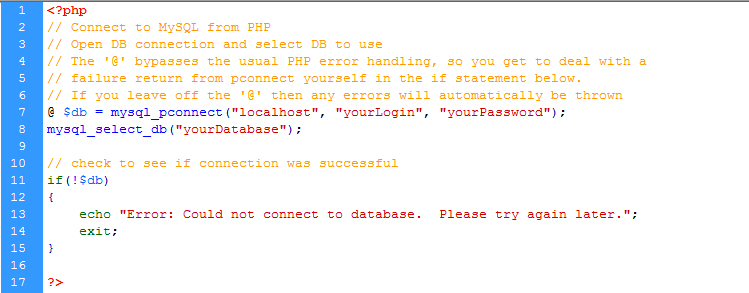
- openDbConn.php
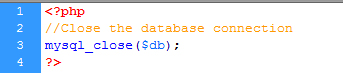
- closeDbConn.php
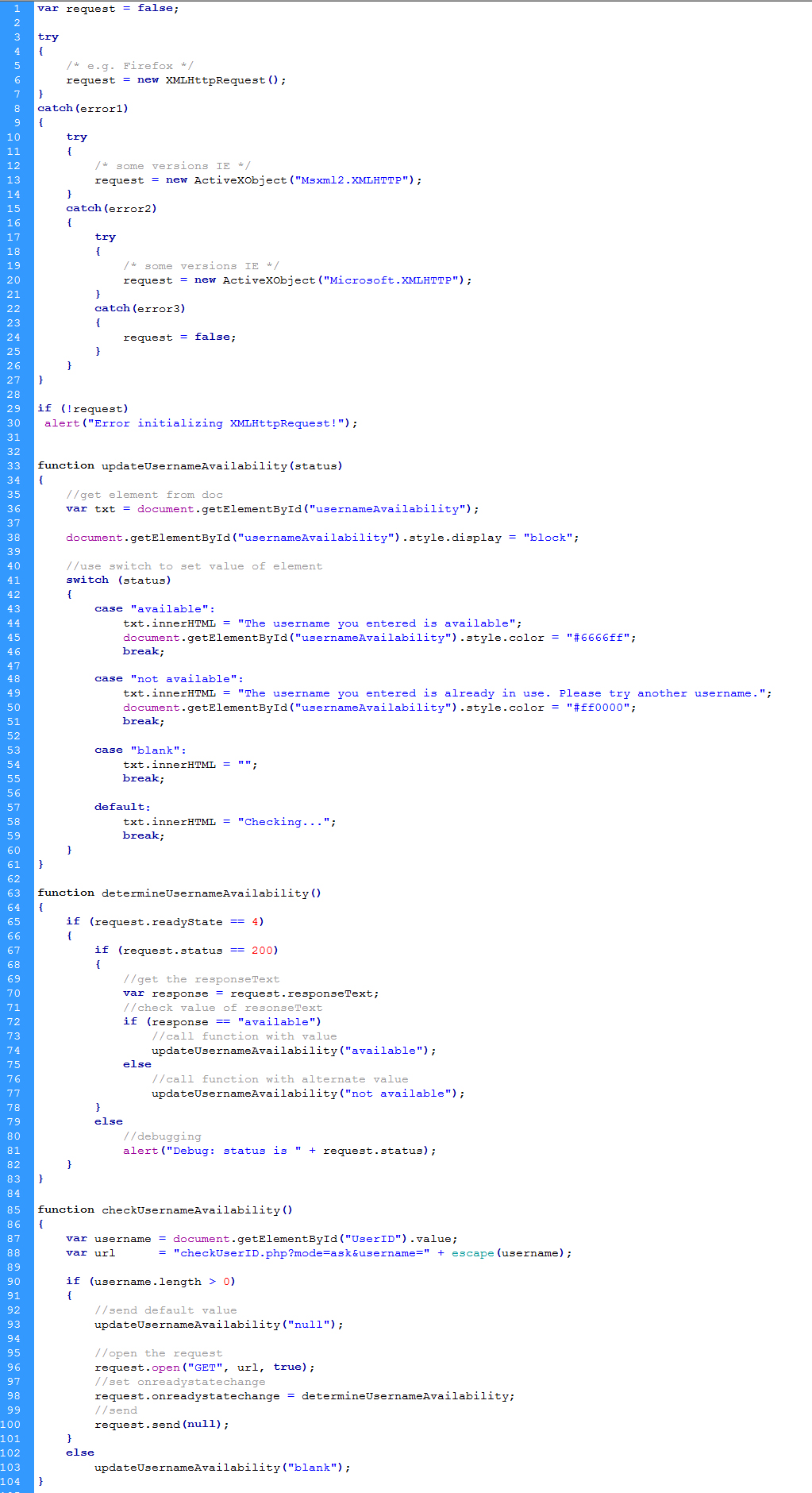
- checkUserID.js
- View this example finished solution
- View the VODcast for Cryptography, Encryption, and Ajax in PHP
- Open PhpMyAdmin and run this script
- This script holds the user accounts for this lab, you need to create a new account before trying to login.
- Copy / Paste this SQL script
- Click to execute the script
- Make sure the table appears in your database
- You are done with this script
- Download this set of login files
- Save them to your Lab07 folder.
- Create a new login... follow the link off of the default page
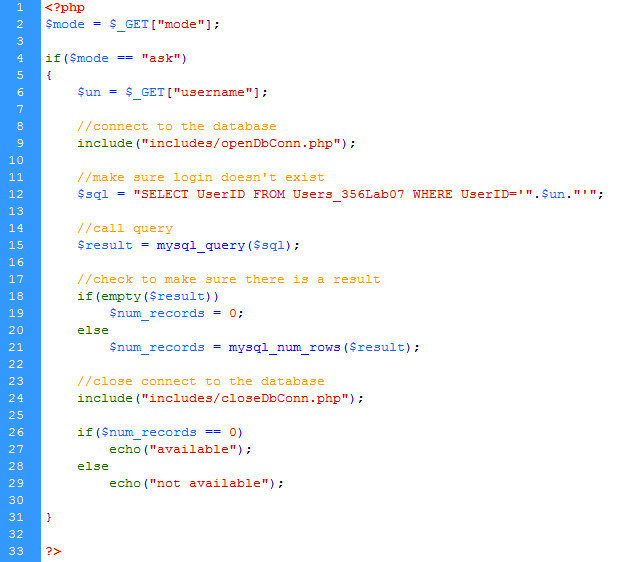
- Ajax (checkUserID.js)
- Complete a .js file that handles the asynchronous calls.
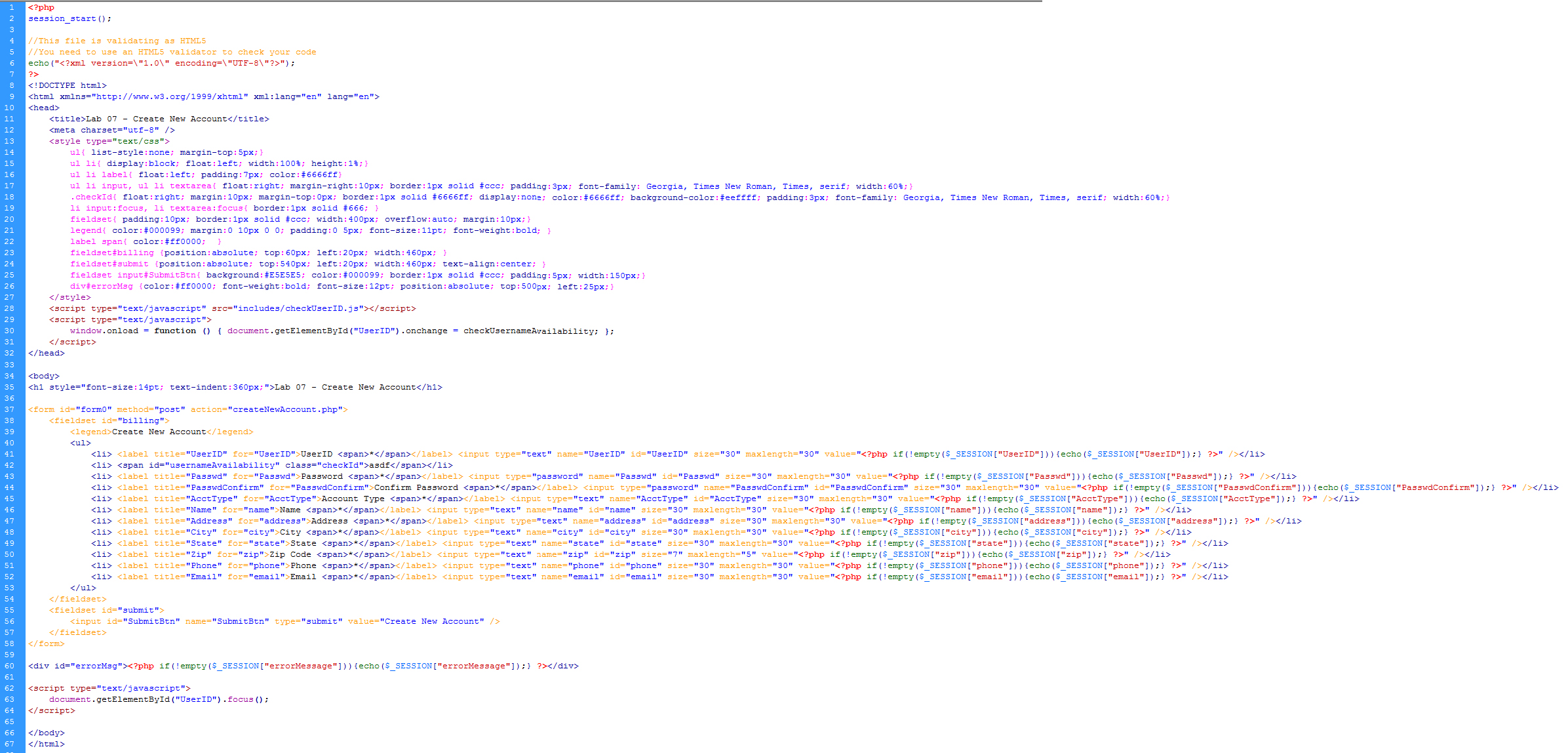
- Create the page: createNewAccount
- Add the javascript reference to point to the external js file
- Add javascript to set an onLoad event handler that is triggered when a user navigates away from the username box
- When the userID box looses focus, an ajax call will be made to check if the new username is available or already taken.
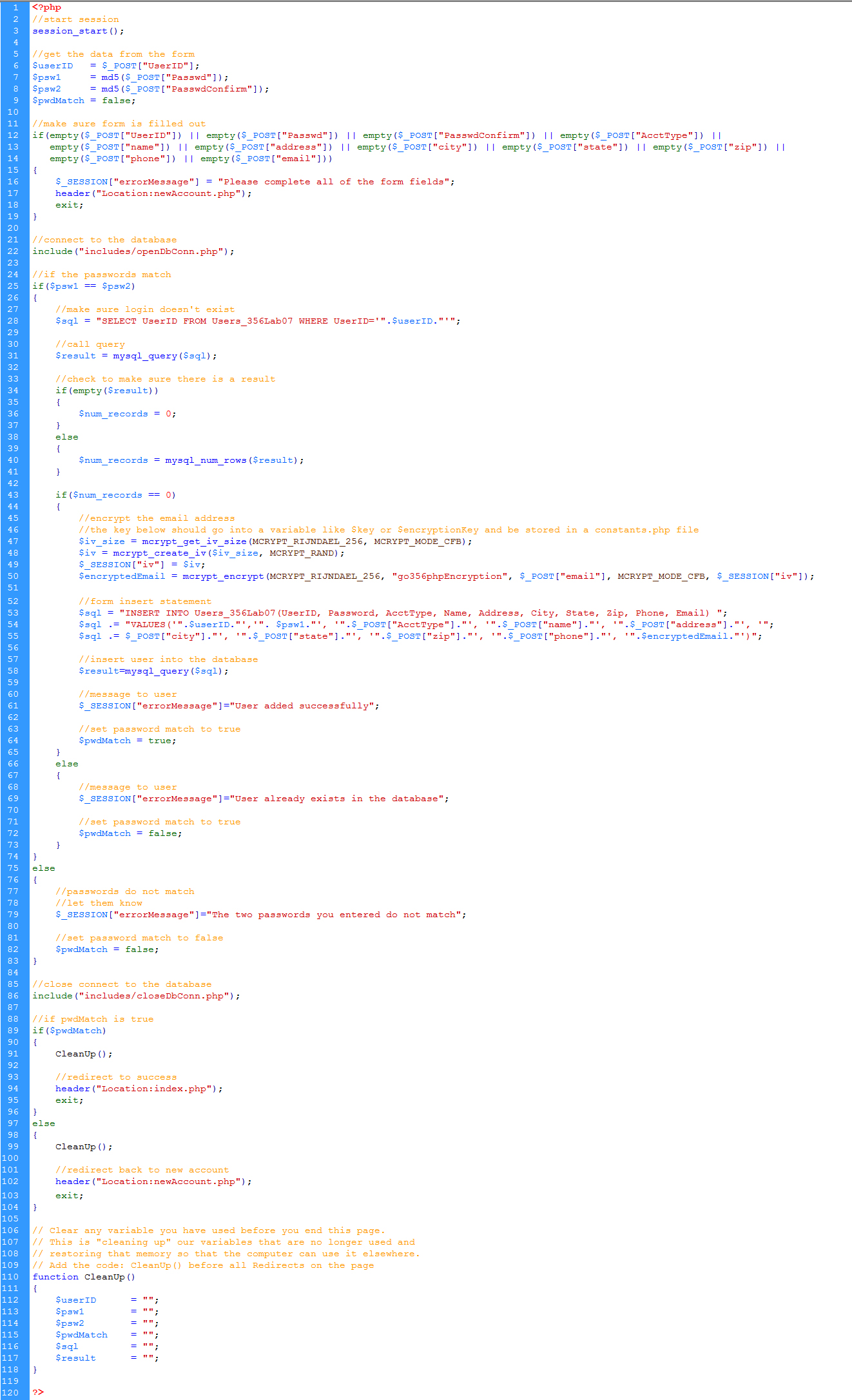
- Clicking the submit button on newAccount will post to createNewAccount
- Encrypt the two passwords using the md5 method
- Encrypt the email using mcrypt_encrypt()
- Compare the two passwords that were submitted from the form.
- If they do not match, redirect back to newAccount with a session message
- If the login name chosen is already in the database, redirect back to newAccount with a session message
- Insert the record into the database - the password should be encrypted before it is inserted
- Redirect back to index
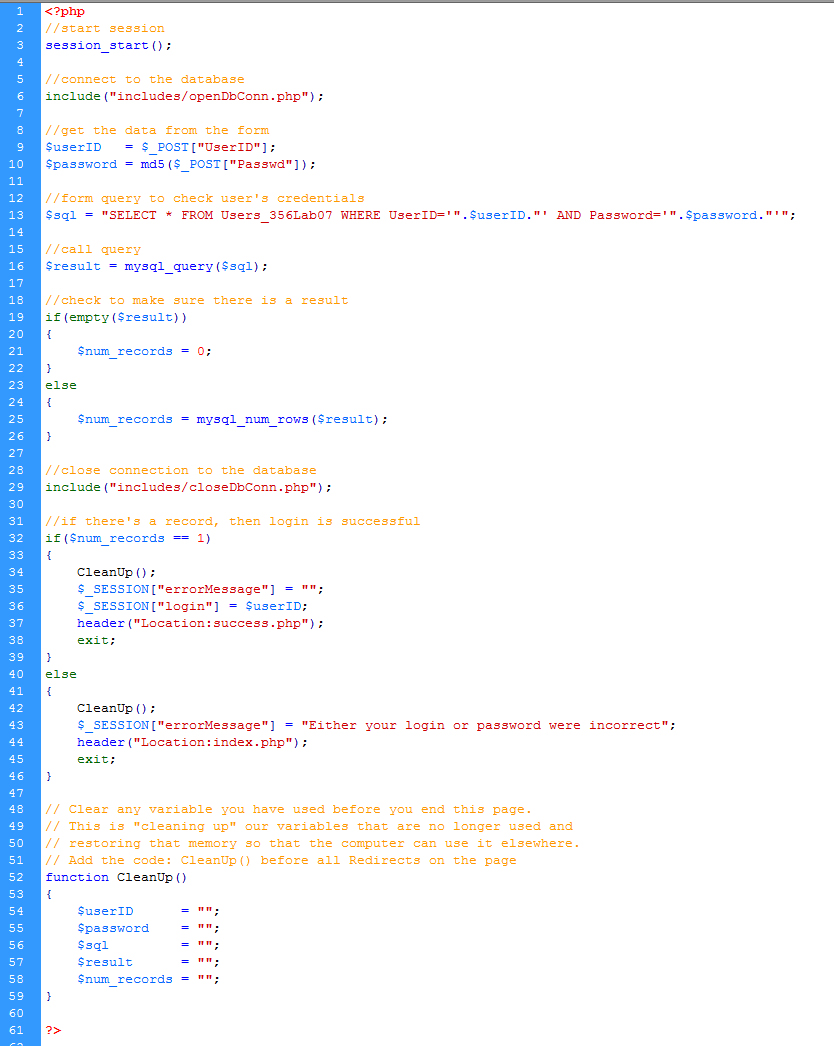
- Login by verifying against an encrypted password from the DB
- Edit login
- Encrypt the value that was submitted from the form - store the cypher in a variable
- Select the record from the DB with a where clause for login and password
- Use concatenation to form the where clause
- The password you concatenate into the where clause should be the cypher
- You are comparing the password from the form (encrypted) to the password from the db (encrypted)
- Be sure to use trim() where necessary
- Edit Success
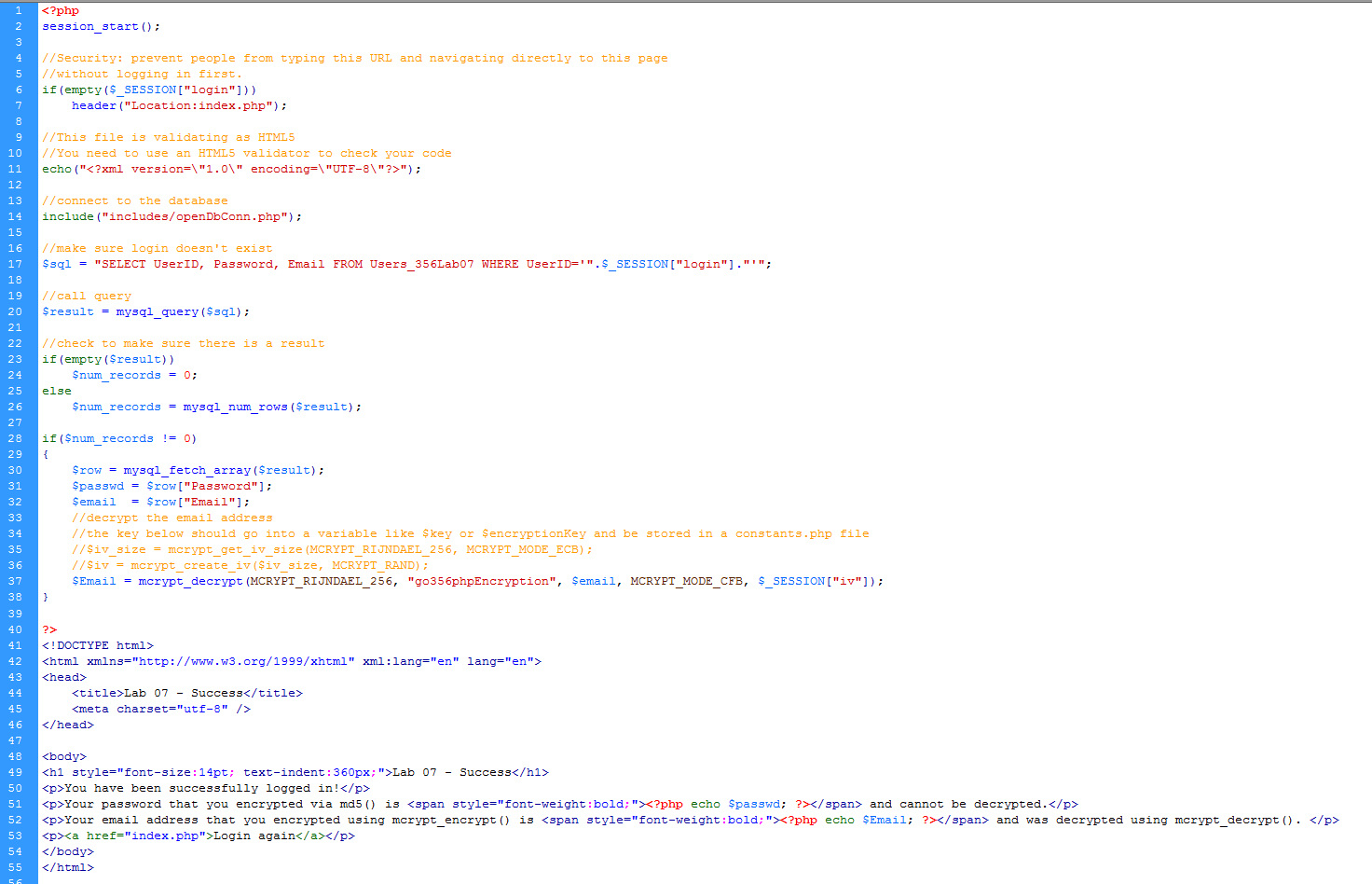
- Select the password and email from the database. Write out the password so that you see the encrypted value.
- Decrypt the email using mcrypt_decrypt() and write out the value so that you can see it was properly decrypted. You may also want to write out the encrypted value so that you can see what is actually stored in the database.
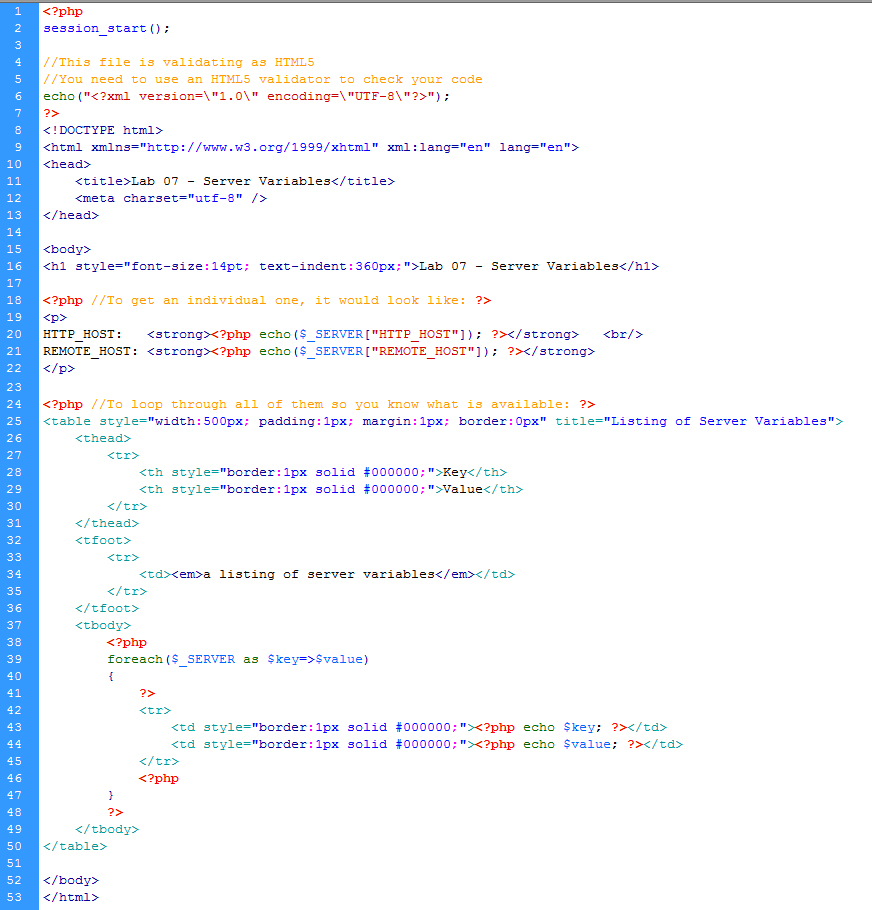
- Write a PHP that loops through the ServerVariables and writes all of the server variables to the browser window.
Output should be table formatted with 2 columns.
Left column contains the name of the server variable
Right column contains the value of that server variable
View the VODcast for using server variables in PHP
Example:
| SERVER_NAME |
websrv |
| REMOTE_HOST |
127.0.0.1 |
| REQUEST_METHOD |
GET |
| SERVER_PORT |
80 |
| SERVER_PORT_SECURE |
0 |
- Code
- Here is the code for this entire exercise. Proper use would be: look at the code to make sure you are approaching the assignment the correct way. Then try to do it on your own. Then use the code to make sure you've done it correctly. Improper use would be: copying without interpreting, which would result in not really learning what you're doing. The code is provided to help you be successful and so that you don't have to ask as many questions about the assignment.
- Make sure it works on the server!!!
- Save a backup copy to your personal drive space.
- Do not modify any files after the deadline. Timestamps on all files will be checked during grading.
Grading
| Encryption |
-8 pts max |
| Ajax |
-8 pts max |
| Comments |
-2 pts max |
| Server Variables |
-4 pts max |
| Validate / Accessibility |
-2 pts max |
| |
|
| Total |
24 pts possible |
|