|
JavaScript Image Gallery
Instructions
You will create a javascript image gallery uses a plugin to display the images.
Materials to turn in on the server:
- In your Lab10 folder:
- js folder
- config.js
- html5shiv.js
- jquery.min.js
- jquery.poptrox.min.js
- skel.min.js
- images folder
- your images
- plugin images
- includes folder
- closeDbConn.php
- includes.php
- openDbConn.php
- css folder
- font folder
- images folder
- skel-noscript.css
- style.css
- style-desktop.css
- style-mobile.css
- style-noscript.css
Procedures
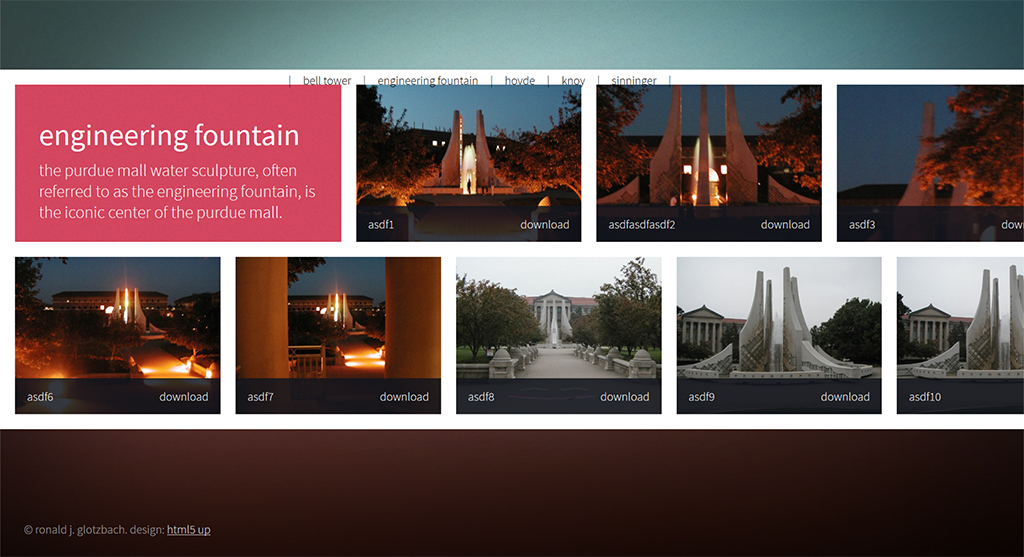
- You will create a page that looks like this one
- Download these starter files.
- Create the HTML and add link to the CSS as shown in the finished code below.
- Create the JavaScript arrays
- For this exercise, you will use PHP to dynamically create JavaScript Arrays
- For this exercise, you will pull those values from the database
- NOTE:
- Notice where the PHP begins in various places: <?php
- Notice where the PHP ends in various places: ?>
- You will be mixing a lot of JavaScript within the PHP.
- Code
- Here is the code for this entire exercise. Proper use would be: look at the code to make sure you are approaching the assignment the correct way. Then try to do it on your own. Then use the code to make sure you've done it correctly. Improper use would be: copying without interpreting, which would result in not really learning what you're doing. The code is provided to help you be successful and so that you don't have to ask as many questions about the assignment.
- Make sure it works on the server!!!
- Save a backup copy to your personal drive space.
- Do not modify any files after the deadline. Timestamps on all files will be checked during grading.
Grading
| Display Images |
-10 pts max |
| Use of Lightbox |
-10 pts max |
| |
|
| Total |
20 pts possible |
|